
Speed Ramp Effect for Premiere Pro
 By
aaapresets
By
aaapresets
 View demo
Description
Speed Ramp Effect for Premiere Pro (4K 3840×2160, up to 16 Video Clips)
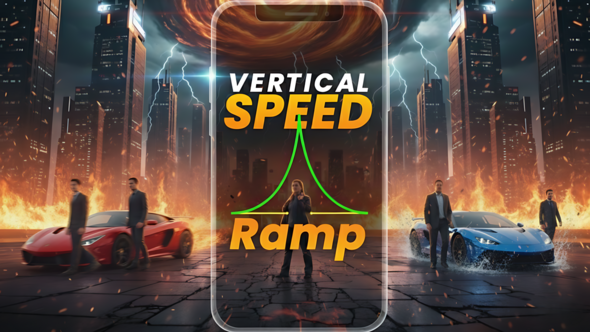
Create smooth, cinematic time changes in high resolution with the Speed Ramp Effect for Premiere Pro. This effect is made only for 4K (3840×2160) projects and supports up to 16 video clips in one speed-ramped sequence.
Cinematic Speed Ramps in True 4K
This template uses controlled slow–fast–slow ramps to speed up and slow down your footage between clips. Instead of simple cuts, your shots flow with cinematic motion and impact, making it perfect for beat-synced edits and high-energy highlight sequences.
Key Features
- Speed ramp effect setup for Adobe Premiere Pro
- Supports up to 16 video clips in one sequence
- Resolution: 4K only (3840×2160)
- Smooth slow–fast–slow ramps for cinematic pacing
- Ideal for action moments, beat drops, and dynamic montages
Perfect For
- Travel films and cinematic montage edits
- Drone footage and landscape videos
- Sports, gym, and action highlight reels
- Car videos and fast-paced lifestyle content
- Product B-roll, promos, and music video edits
What You Get
- Speed Ramp Effect template/sequence for Premiere Pro
- Timeline structure for up to 16 clips
- Built specifically for 4K (3840×2160) editing
- Instant digital download after purchase
Compatibility
- Software: Adobe Premiere Pro
- Resolution supported: 4K only (3840×2160)
- No third-party plugins required
How to Use the Speed Ramp Effect (4K)
- Create or open a 4K sequence (3840×2160) in Adobe Premiere Pro.
- Import the Speed Ramp Effect template/sequence into your project.
- Replace the placeholders with your own video clips (up to 16).
- Adjust timing to match your music, beat drops, or action moments.
- Export your final video in true 4K.
Why Choose This Effect?
- Instant professional speed ramps without manual keyframing
- Made only for 4K, so your final export stays ultra sharp
- Works across many niches: travel, sports, cars, product, and promos
- Easy for beginners and fast for experienced editors
FAQ – Speed Ramp Effect for Premiere Pro (4K Only)
Is this template available in Full HD?
No. This version supports 4K (3840×2160) only.
Do I have to use all 16 clips?
No. You can use fewer clips if you prefer. Just fill the slots you need.
Create smooth cinematic time changes in true high resolution with the Speed Ramp Effect for Premiere Pro (4K 3840×2160, up to 16 clips).
.jpg?w=300&h=169&cf_fit=cover&q=94&format=jpeg&s=3809ee0cb680809fd63b470f3ce54d540c5a5625c689832506bb3560ca0db26c)


.jpg?w=300&h=169&cf_fit=cover&q=94&format=jpeg&s=137d77fb72a07f198df552af0f1c649f8a78daa57649febd6693f587048867e1)










Comments
Sign in to join the conversation.
No comments yet. Be the first to share your thoughts.