
Quake Shake Cinematic Transitions for Premiere Pro
 By
aaapresets
By
aaapresets
Download links
 View demo
Description
Quake Shake Cinematic Transitions for Premiere Pro (12 Drag-and-Drop 4K & Full HD Transitions)
Give your edits powerful, high-energy motion with the Quake Shake Cinematic Transitions for Premiere Pro. This pack includes 12 drag-and-drop sequence transitions designed for both 4K (3840×2160) and Full HD (1920×1080) projects.
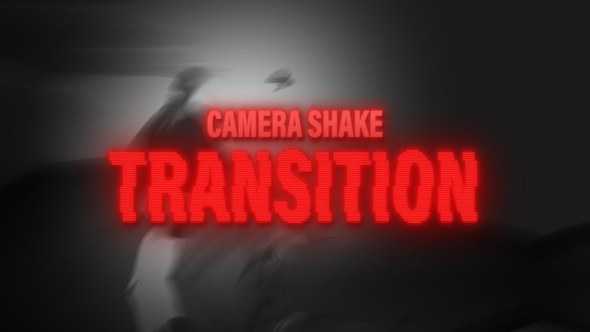
Quake Shake Cinematic Look
Each transition adds aggressive camera shake, motion blur, and directional movement so your cuts feel like a controlled impact instead of a simple jump cut. Perfect for beat drops, action moments, and hype sequences where you want the viewer to feel the transition.
Key Features
- 12 ready-made Quake Shake cinematic transitions for Adobe Premiere Pro
- Supports both 4K (3840×2160) and Full HD (1920×1080) sequences
- Drag-and-drop sequence transitions – no complex setup required
- Strong camera shake and motion blur for high-energy edits
- Built for fast-paced cuts, beat drops, and impact moments
Perfect For
- Music videos and beat-sync edits
- Sports, gym, and extreme action videos
- Gaming montages and highlight reels
- Trailers, promos, and cinematic intros
- Reels, Shorts, TikTok edits (using 16:9 or cropped versions)
What You Get
- 12 Quake Shake cinematic transitions as drag-and-drop sequences
- Versions designed for 4K and Full HD timelines
- Timeline-ready transitions that you place between two clips
- Instant digital download after purchase
Compatibility
- Software: Adobe Premiere Pro
- Resolutions: 4K (3840×2160) and Full HD (1920×1080)
- Works with any footage format supported by Premiere Pro
- No third-party plugins required
How to Use the Quake Shake Cinematic Transitions
- Create or open a 4K or Full HD sequence in Adobe Premiere Pro.
- Place two clips next to each other on the timeline.
- Drag a Quake Shake transition sequence between the clips.
- Replace the placeholders inside the sequence with your own footage.
- Fine-tune timing to match your music or key action beats, then export.
Why Choose This Transition Pack?
- Instantly adds aggressive, cinematic shake to your edits with no manual keyframing
- Ready for professional 4K and Full HD workflows
- Ideal for high-impact content in music, sports, gaming, and promo edits
- Beginner-friendly drag-and-drop workflow and fast for pro editors
FAQ – Quake Shake Cinematic Transitions for Premiere Pro
Do these transitions work in both 4K and Full HD?
Yes. The transitions are designed to work with 4K (3840×2160) and Full HD (1920×1080) sequences in Adobe Premiere Pro.
Are any plugins required?
No. All 12 transitions work directly inside Adobe Premiere Pro with no extra plugins.
Add powerful quake-style motion to your edits with the Quake Shake Cinematic Transitions for Premiere Pro (12 Drag-and-Drop 4K & Full HD Transitions).
















Comments
Sign in to join the conversation.
No comments yet. Be the first to share your thoughts.